HVAC Scheduling Software in 2026: Big-Rig Dispatch Boards vs an AI-Run Roster for Small Teams
Big dispatch boards were built for 30-tech operations, not a 3-person HVAC crew. Here's what changes when an AI staff member runs your scheduling instead of you.
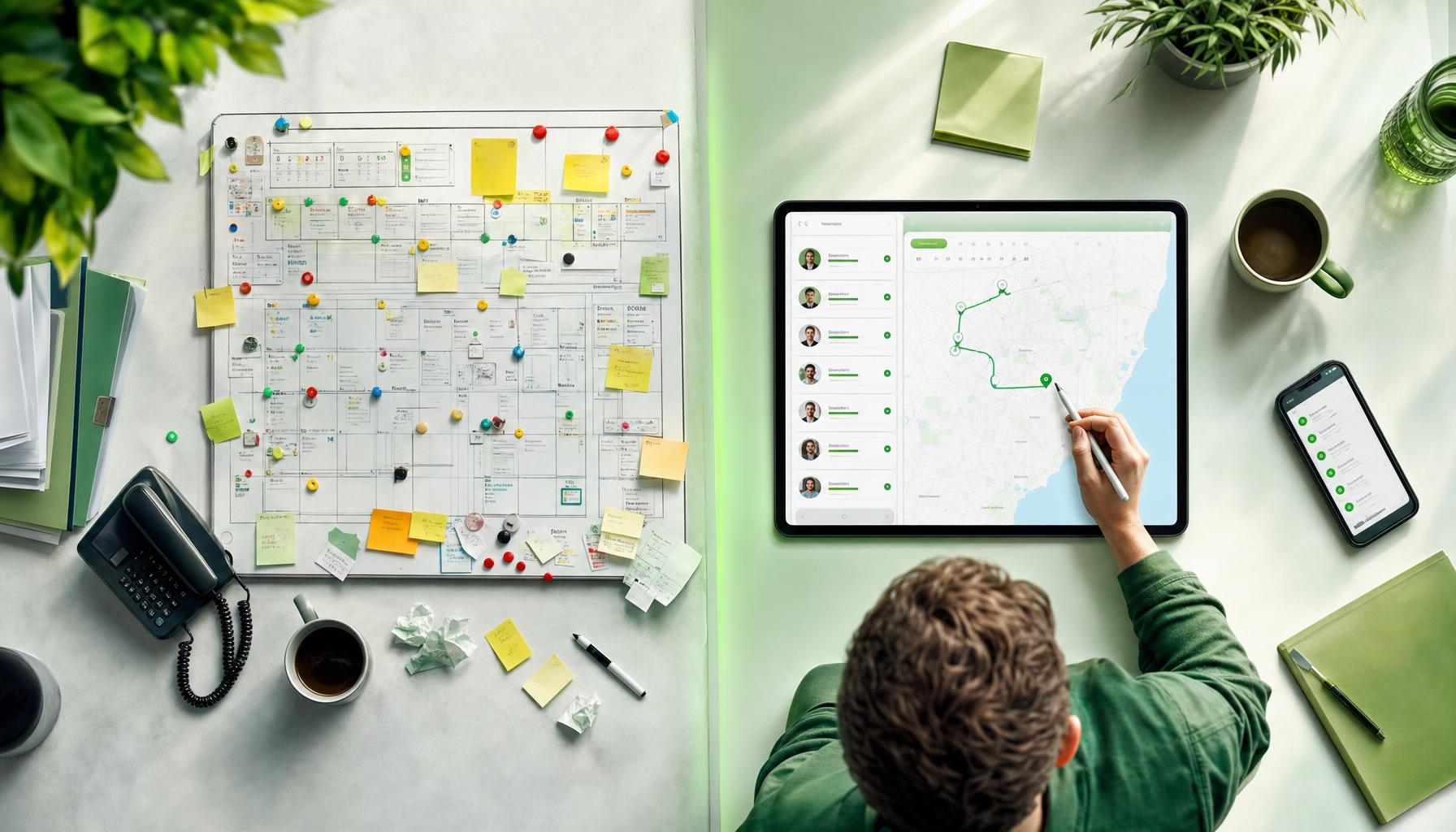
It’s 7:10am, you’ve got two techs on the tools, a split system install booked in for 9, and your phone’s already buzzed three times with “is anyone coming today?” texts from yesterday’s no-shows. You open your scheduling board to sort the day out and instead spend twenty minutes dragging jobs around a screen that was built for a business with a dispatcher, a service coordinator, and forty vans on the road.
That’s the trap a lot of small HVAC outfits fall into with hvac scheduling software. The big enterprise-style dispatch boards — the ones built for the fifty-tech operations — get sold down-market to three and four-person teams who don’t need half the modules and can’t justify the price or the admin overhead of running them properly. You end up paying for complexity you didn’t ask for, then hiring someone (or doing it yourself at 9pm) just to keep the board honest.
There’s a real question worth asking before you sign up for another 12-month contract: do you need hvac dispatch software that you operate, or do you need someone — or something — that runs the roster for you?
What HVAC Scheduling Software Was Actually Built For
Most of the big dispatch boards on the market trace their DNA back to large commercial HVAC and multi-trade operations — think 30+ techs, dedicated dispatchers, and a service manager whose whole job is juggling the calendar. They’re genuinely good at that. Colour-coded boards, skill-based routing, van tracking, capacity planning across multiple crews — all useful when you’ve got the headcount to justify a full-time person driving the system.
The problem for a 2-8 person HVAC business is that you’re not just missing the headcount — you’re missing the time. You’re the tech, the quoter, the invoice-chaser and the person who answers the phone when a customer rings mid-install because their AC’s died in 38-degree heat. Adding a scheduling board to that pile doesn’t remove admin — it just moves it from a whiteboard to a screen.
We hear this constantly from HVAC operators around Australia: the board itself isn’t the problem. It’s that somebody still has to drive it. Every reshuffle, every “can you fit me in tomorrow”, every tech running late off a commercial job — someone’s manually moving tiles around a calendar while the ute’s already on the road.
The Real Cost of Manual Dispatch for a Small Crew
Picture a fairly ordinary Tuesday. You’ve got a ducted system service at 8, an emergency no-cool call comes in at 8:15 from a regular customer, and your second tech finishes a compressor job early at 10:30 with nothing booked till 1pm. Nobody’s coordinating that in real time — you’re doing it between jobs, on hold, or after hours when you finally sit down.
That gap costs you two ways. First, drive time — Hero AI routes the day’s jobs and typically cuts 10-15% off drive time just by sequencing stops sensibly instead of first-in-first-served. Over a week, that’s real diesel and real hours back on the tools instead of in traffic on the M1.
Second, and bigger — missed calls. Most small HVAC businesses miss somewhere around 40% of after-hours calls. That’s not people who don’t want AC repaired — that’s a compressor dying at 6pm on a Friday, the customer ringing three businesses, and booking whoever answers first. If nobody’s picking up because your whole crew’s mid-job or it’s after hours, that job — and the review that comes with a good job well done — goes to the tradie down the road.
AI-Run Roster: What Changes When Nobody Has to Sit at the Board
This is where an AI-run approach to scheduling looks genuinely different from a bigger, better dispatch board. Instead of giving you more screens to manage, Hero AI answers the call, books the job straight onto the schedule, and slots it in against your techs’ actual locations and skills — no dispatcher required.
Here’s roughly how it plays out on a real day:
- A customer rings about a dead ducted system at 6:45am, before you’ve even had coffee. Hero AI answers, asks the right triage questions (system age, error codes, whether it’s tripping the breaker), and books it into the first available slot — not just any slot, the one that makes sense given where your tech already is.
- Your tech wraps a job 40 minutes early. Hero AI’s already re-routed the afternoon so the next job, previously scheduled for 2pm, gets pulled forward — keeping the day tight instead of leaving your tech idle in the ute.
- A same-day cancellation comes through. Instead of a hole in the board nobody notices till 3pm, Hero AI fills it from the waitlist or flags it for a callback to a customer who’d been waiting on a slot.
None of that needs a dispatcher watching a screen. It’s the difference between hiring a big board and hiring staff — one that never clocks off, never double-books two techs into the same suburb at the same time, and never leaves an after-hours call to voicemail.
We wrote more about closing the admin gap end-to-end in our guide to quote-to-invoice software for Aussie tradies — scheduling’s only half the story if the paperwork after the job’s still eating your evenings.
Scheduling Board vs AI-Run Roster: A Straight Comparison
| Traditional Scheduling Board | AI-Run Roster (Hero AI) | |
|---|---|---|
| Who books the after-hours call | Voicemail, or nobody | ✅ Hero AI answers and books it |
| Who re-routes the day when a job runs long | You, between jobs | ✅ Hero AI re-sequences automatically |
| Learning curve for a 3-person crew | Often steep — built for dispatch teams | ✅ Set up from the app, no dispatcher needed |
| Cost model | Frequently per-seat, rising with headcount | ✅ Flat plans, no per-seat penalty for hiring |
| Drive time optimisation | Manual, if done at all | ✅ Automatic, ~10-15% less drive time |
| Handles quoting and invoice chasing too | Usually separate module or add-on | ✅ Built into the same AI staff member |
The per-seat pricing point matters more than it looks. A lot of scheduling tools charge per user — so the moment you hire your third tech, your software bill jumps too. That’s backwards for a small HVAC shop trying to grow. You shouldn’t be taxed for hiring humans.
Getting Started Without Ripping Out What Already Works
You don’t need to bin your existing calendar or retrain your whole crew overnight. Most HVAC teams start Hero AI on the call-answering and booking side first — because that’s where the missed jobs and after-hours gaps actually happen — then layer in routing and invoice-chasing once the phone’s sorted.
Hero AI works from the Hero365 app, so there’s no demo call to sit through and no onboarding fee eating into your first month. You download it, connect your calendar and job types, and it starts answering calls and slotting jobs in from there. Plans start from the pricing page, and if you want to see what your current no-show and missed-call rate is actually costing you, our free tools are worth a look before you commit to anything.
If missed after-hours calls are the thing keeping you up, that’s exactly the gap we built Hero AI to never miss another call around. And if it’s the reshuffling and drive time burning your day, our page on how Hero AI helps you dispatch smarter walks through it in more detail.
Either way — the question isn’t whether you need better HVAC scheduling. It’s whether you want to keep running the board yourself, or hire someone who runs it for you.