How to Schedule HVAC Jobs Efficiently: Tips for Growing Service Teams
Two trucks and a whiteboard works fine — until it doesn't. Here's how growing HVAC teams fix double-bookings, wasted drive time, and missed after-hours calls without hiring another dispatcher.
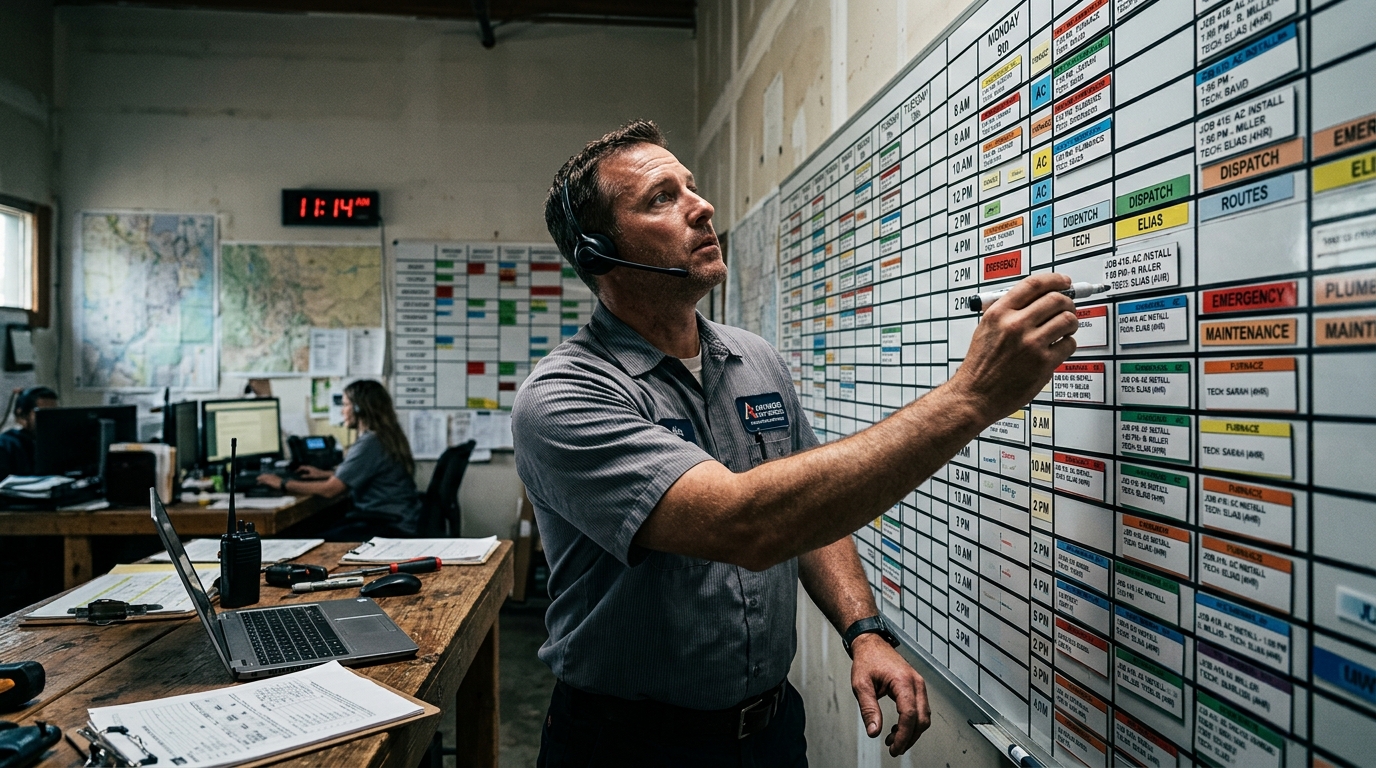
Why HVAC Job Scheduling Breaks the Moment You Grow
Two trucks, a whiteboard, and a gut feeling — that scheduling setup works fine when it’s just you and one tech. Add a third truck and it starts leaking money.
You know the pattern. Two techs end up 20 minutes apart on opposite sides of town while the tech near your biggest customer sits idle. Somebody double-books a 2 PM slot. A maintenance call that should’ve taken 45 minutes runs long, and now three other customers are getting the “running a little behind” text. By the time you’ve got 5-8 techs on the board, a sticky note system isn’t scheduling — it’s damage control.
This is the exact point where HVAC job scheduling software stops being a nice-to-have and starts being the thing standing between you and $600K in missed revenue a year. Let’s get into what actually works.
The Real Cost of Bad HVAC Technician Scheduling
Before the fixes, it helps to see what disorganized scheduling actually costs a growing shop.
- Drive time. Techs zigzagging across your service area instead of working a tight route burns fuel, burns hours, and burns patience. Smart routing alone typically cuts 10-15% off daily drive time — that’s an extra job or two per tech, per week, for free.
- Missed calls. Most small HVAC shops miss roughly 40% of after-hours calls. Every one of those is a no-heat emergency worth $300-800 going to whichever competitor picks up.
- Double bookings. Nothing torches a five-star reputation like showing up to find another company’s truck already in the driveway.
- Idle techs. A tech standing around between jobs because dispatch didn’t plan ahead is a tech you’re paying to not make money.
None of this is a “hire more people” problem. It’s a scheduling process problem. And it’s fixable without adding headcount.
HVAC Scheduling Tips That Actually Move the Needle
1. Match the job to the skill, not just the slot
Not every tech should be dispatched to a commercial rooftop unit or a variable-speed compressor diagnostic. Growing teams that schedule purely by “who’s free” instead of “who’s qualified” end up with callbacks, comebacks, and unhappy customers. Tag your techs by certification and specialty, then schedule against that — not just an open calendar block.
2. Build routes, don’t just fill slots
Look at your day geographically before you look at it chronologically. A tech doing four jobs across three zip codes wastes more time driving than working. Cluster jobs by neighborhood when you can, and leave buffer time for the inevitable “just one more thing” conversation every homeowner has at the door.
3. Protect emergency capacity
Growing teams often overbook maintenance and installs so tightly that a no-cool emergency call has nowhere to go. Build slack into every tech’s day — even 30-45 minutes — specifically for same-day emergencies. Customers remember who showed up in a heatwave.
4. Confirm before you dispatch
A huge chunk of wasted truck rolls comes from customers who forgot the appointment, aren’t actually home, or the equipment access is blocked. A quick automated confirmation text the night before (and a “tech is on the way” text the morning of) cuts no-shows dramatically — and it’s the kind of thing that shouldn’t need a human doing it manually every day.
5. Track real job durations, not guesses
If your schedule assumes every maintenance call takes an hour, you’ll be wrong constantly. Some take 30 minutes, some take two hours because the filter’s never been changed and the system’s been ignored for years. Use your actual historical data — not the industry-average number some field service scheduling for HVAC template tells you — to build realistic time blocks.
6. Let after-hours calls book themselves
Here’s the scenario that trips up almost every growing HVAC business: it’s 9 PM on a Friday, the AC dies in a house with a newborn, and your office closed three hours ago. That call either goes to voicemail (and the competitor down the street), or it goes to Hero AI — Hero365’s AI staff — which answers, books the job straight onto tomorrow’s board, and texts the customer confirmation before you’ve even seen the notification. No dispatcher on the clock at 9 PM. No missed job.
Where HVAC Dispatch Software Actually Pays for Itself
Here’s the thing most owners get wrong when they start shopping for HVAC dispatch software: they assume the expensive option is the safe option. ServiceTitan and FieldEdge are both quote-only — neither publishes a rate — and both charge per user. For a 6-person crew that’s six seats before you’ve dispatched a single job, every new hire adds another seat fee on top, and you can’t put a number to any of it until you’ve taken the call.
Hero365 runs the same core job — answering calls, booking jobs, routing technicians, chasing invoices — starting at $19.99/month, flat. No per-seat pricing. No demo call. You download the Hero365 app and hire Hero AI the same day. We broke down the full pricing comparison in our post on Hero365 vs. ServiceTitan if you want the line-by-line numbers.
What that $19.99/month actually buys:
- 24/7 call answering — Hero AI picks up every after-hours call and books it directly onto the schedule, instead of it hitting voicemail.
- Smart dispatch routing — jobs get sequenced by location and tech skill, cutting drive time 10-15% without you touching a map.
- Estimate drafting — a tech leaves a voice note from the driveway, and Hero AI turns it into a Good/Better/Best estimate in under a minute.
- Invoice follow-up — overdue invoices get chased automatically, so cash flow doesn’t depend on you remembering to make an awkward phone call.
- Post-job follow-up — customers get a check-in after every visit, catching an unhappy one before it becomes a one-star review instead of after.
We go deeper on the dispatch and follow-up side in How HVAC Contractors Can Use AI to Automate Scheduling, Dispatch, and Follow-Ups in 2026 — worth a read if after-hours calls are your biggest leak right now.
Building a Scheduling System That Scales With You
The goal isn’t a perfect calendar. It’s a system that doesn’t fall apart every time you add a truck.
Start here: 1. Audit last month’s schedule — count double-bookings, missed calls, and jobs that ran way over estimate. 2. Tag techs by skill so dispatch stops guessing. 3. Add buffer time for emergencies before you fill every slot. 4. Automate confirmations and after-hours answering so nothing depends on someone being in the office at the right moment. 5. Run the numbers on what you’re actually paying per tech, per month, for your current setup — our cost calculator makes that comparison quick.
Growing an HVAC team is supposed to mean more revenue, not more chaos. If your scheduling process is the thing holding growth back, it’s worth fixing before the next hire, not after.
Curious what a day looks like with Hero AI handling calls, routing, and follow-ups in the background? Download the Hero365 app and see it running on your first call — or check out how we stack up on the HVAC solutions page first.